
Power BI
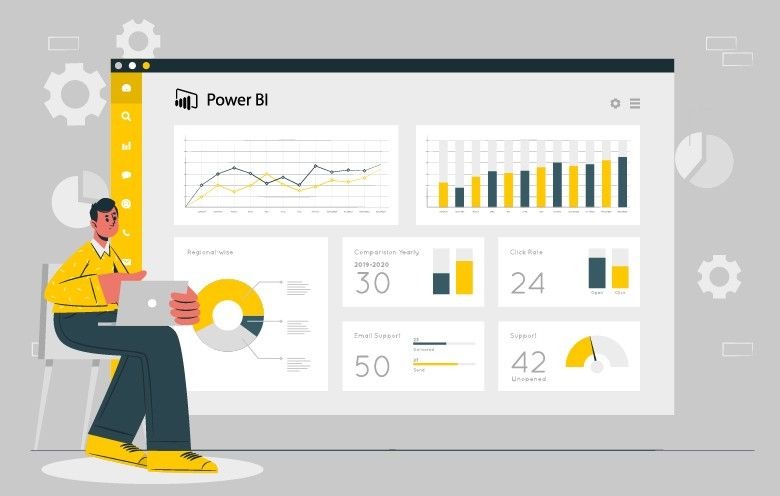
Power BI is a collection of software services, apps, and connectors that work together to turn your unrelated sources of data into coherent, visually immersive, and interactive insights. Your data might be an Excel spreadsheet, or a collection of cloud-based and on-premises hybrid data warehouses. Power BI lets you easily connect to your data sources, visualize and discover what’s important, and share that with anyone or everyone you want.

About Project
Power BI is a technology-driven business intelligence tool provided by Microsoft for analyzing and visualizing raw data to present actionable information. It combines business analytics, data visualization, and best practices that help an organization to make data-driven decisions. There are various features of Power BI that make it such a popular and in-demand tool like its interactive UI / UX, integration with excel, real-time stream analytics, and more.
Our team of instructors are committed to creating an excellent learning experience for users that can be both affordable and easily accessible. We are focused to make Power Bi concepts much more easier to the audience and produce expert software, test professionals.
Success Feature
- High-Standard Training
- Top Technical Instructor
- Broad Course Curriculum
- 100% Placement Support
- Superb Satisfaction Result
- Internship on Real-Time Project
- 3I– Individual Focus, Innovative & Interactive
Target Student
- Web Developers
- Frontend Developers
- Aspiring Developers
- UI/UX Designers
- Tech Enthusiasts and Career Changers
Who should go for this training?
The Power BI training at myTectra is for all the professionals who are passionate about business intelligence, data visualization, and data analytics.
- Business Analysts
- Business Intelligence Manager
- Statisticians and Analysts
- Data Scientists
- Project Managers
Basic Knowledge Required
- Experience navigating the Microsoft Windows Environment
- Experience with Microsoft Excel Pivot Tables and Pivot Charts is desirable
Suggested Prerequisites : Microsoft Excel
Course curriculum
Module 1 : Introduction to Power BI
- Power BI features and services
- Components and dashboards
- Power BI architecture
- Power BI demo

Module 2 : Power BI Desktop
- Define Power Query
- Learn about features of Power Query
- Define Power BI Desktop
- Learn How to get Data from different data Sources
- Learn How to use Query Editor
- Understand Modelling data and Relationships
- Create Calculated Measures
- Differentiate Power Pivot in Power BI Desktop with other components
- Analyze Power View Difference in Power BI Desktop

Module 3 :Data Analysis Expression(DAX)
- Define Calculated members
- Differentiate between Row Context and Set Context
- Use Calculate Functions for Advanced Calculations
- Illustrate Time Functions
- Discuss Advanced DAX

Module 4 :Data Visualization
- Describe Best Practices of Data Visualization
- Describe Power BI Desktop Visualization
- Illustrate Custom Visuals in Power BI Desktop
- Discuss Formatting Visuals in Power BI Desktop.
- Understand Charts, Score Cards and other Visualization items in Power View

Module 5 : Power BI Embedded
- Explain Power Bi Embedded Conceptual Model
- Differentiate REST API and .NET API
- Explain How to authenticate and Authorize Row Level Security with Embedded Power BI
- Illustrate How to Embed a Power BI report with an I Frame
- Discuss How to connect a data source and Interact with reports

Jordan Reynolds
Instructor
Lead – Full Stack |JS Node ES6 | React & Redux | Angular | TS | Java 8,11,17 | Junit 4 & 5 | Spring Boot | JPA | Hibernate | Microservice | OpenShift | K8s | ELK | Docker |AWS |CI/CD| AGILE|A
Get in Touch with Experts!

Free Courses
Duis egestas aliquet aliquet. Maecenas erat eros, fringilla et leo eget, viverra pretium nulla. Quisque sed augue tincidunt, posuere dui tempor.

Premium Courses
Duis egestas aliquet aliquet. Maecenas erat eros, fringilla et leo eget, viverra pretium nulla. Quisque sed augue tincidunt, posuere dui tempor.
Ready to get started?
Get in touch, or create an account